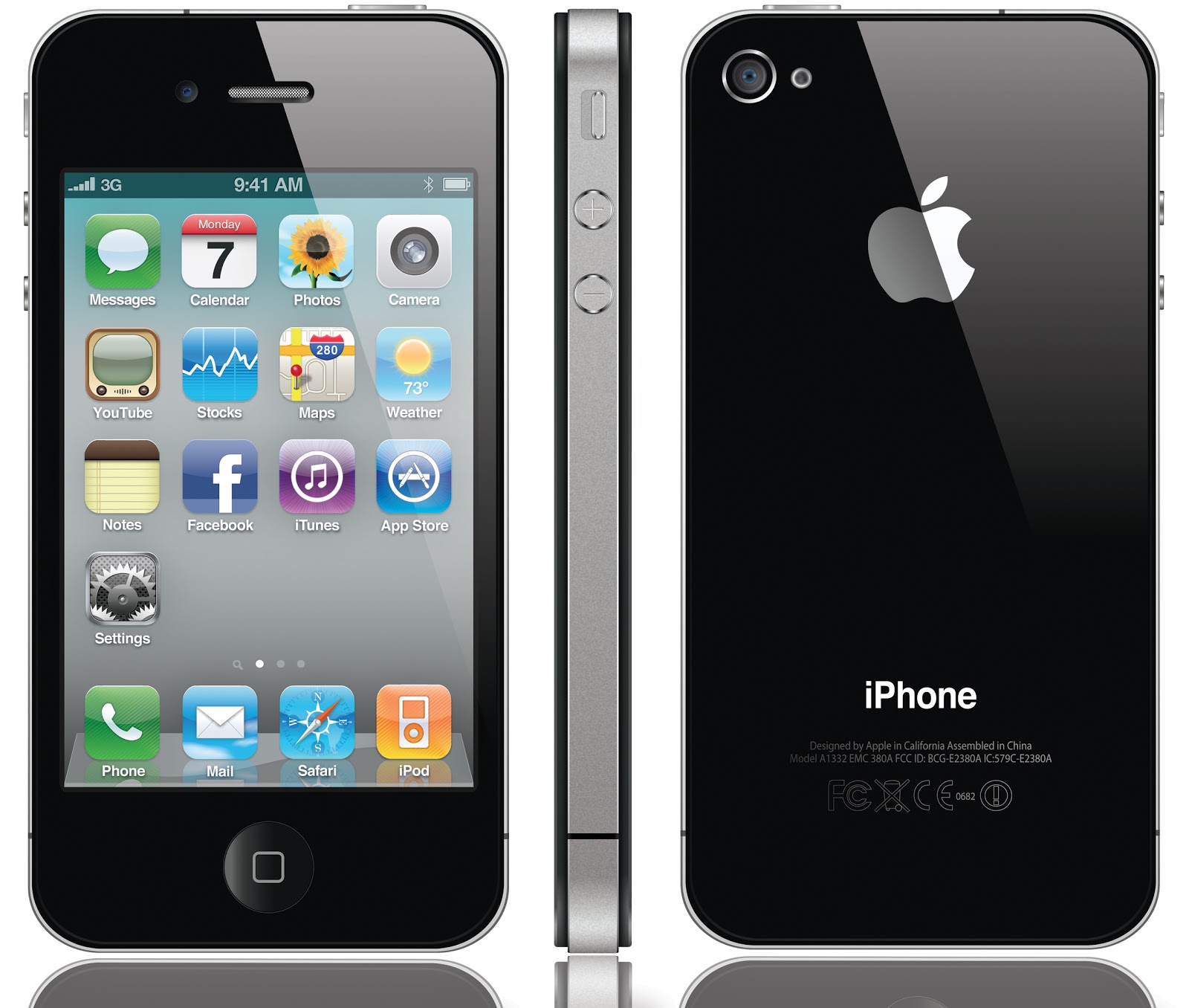
ailbreak is a process that allows iPhone 4S users (also iPod Touch, iPad and other iPhone versions) to have access to root operating system, namely iOS, raising any restriction implemented by Apple on that device. In addition, it allows the installation of third-party applications (app), applications that were not supported by Apple for one reason or another in the App Store, through software like Cydia, Installous or Rock.
Do not confuse jailbreak with unlock (unlock the device from a certain network to use any carier). Jailbreak without unlock possible, not vice versa!
why people jailbreak their iphone
No restrictions! The main reason was to be able to use your iPhone 4S on any network not only in those who have made partnership with Apple. For this needs to be done unlock that would not have worked without being able to access the root of the device operating system.
Another reason is to be able to install applications rejected by Apple from certain causes, and to install applications that are fully customize to your preferences.
Another thing possible due to a free jailbreak is some quite expensive software installation for FREE.
advantages and disatages
The benefits are obvious. A jailbroken iPhone 4S is able to provide much more functionality than the standard one. Here are some of the jailbreak benefits:
- The ability to unlock the network;
- The possibility of modifying the system files;
- The ability to install applications rejected by Apple and other applications developed by third-party companies via Cydia;
- Able to install any software for free;
- Possible customization for a device that have installed previous versions of iOS;
- Bluetooth transfer between iPhone 4S and other devices (iPhone, iPod, PC, ... any device that has Bluetooth)
- The possibility of losing the warranty. However, by a simple restore process in iTunes, bring the phone to its original shape;
- Impairing the functionality, for many applications installed on Cydia. Applies when you abuse the installing software;
its possible without jailbreak
Cydia founder, Jay Freeman, said that more than 10% of the iPhones are jailbroken. So, YES, considering that almost 90% of iPhones have not used this opportunity.
If you have the money to purchase all the interesting application, you do not mind the network in which is locked your iPhone and want to update iOS as soon as it appears, do not need and really do not have to use a free jailbreak on your device.
it's legal
Yes! There have been attempts in the U.S. for this process to be outlawed but the trial court has given the verdict that the jailbreak process is perfectly legal as long as you do not use code owned by someone else.
All one needs to do first is to do is find a reputable free jailbreak tool to handle the job. One must also check if the latest version of iTunes is running on your iPhone 4S. This must be properly in sync so that important files will be backed up easily
If you’re interested in learning how to jailbreak iPhone 4S for free, here are some step-by-step guides that you can follow to make it possible:
go to ''''''' website
how jailbreak iphone 4s running ios 5.1.1
download absinthe = download
how jail break iphone 4s running ios 5.1.1 step by step
Connect your iPhone 4S to the computer and open Absinthe. Now go to Settings> General> Reset and choose the option Reset all Content and Settings. According to Chronic Dev Team, the developers of Absinthe jailbreak tool, doing this you ensure that the jailbreak process will be quick and without problems.
[UPDATE] To avoid some issues when you
jailbreak iPhone 4S running iOS 5.1.1 it is absolutely necessary to make
full a restore from iTunes. Erase all Content and Settings is not sufficient and will result in the error Recovery completed ....
After making full restore DO NOT SET your iPhone 4S, just simply
activated (ie, have network), then close iTunes and open Absinthe;

Press the Jailbreak button and wait a few minutes

After about 5 minutes, the free jailbreak process should be completed
and have an untethered jailbroken iPhone 4S running iOS 5.1.1. Now you
can restore the backup done earlier to recover your data;

how jailbreqak iphone 4s running ios 5.0.1
download latest redsnow from here = download
This free jailbreak solution only applies to iPhone 4S running iOS 5.0.1, the procedure being different from the rest of Apple device. A few weeks ago Dev Team have released a new version of redsn0w tool that makes untethered jailbreak on iPhone 4S terminal, basically updating the software exploits from Absinthe.
Before that, redsn0w worked for any device beside iPhone 4S, but now is possible to use it even for this task. Here’s how to jailbreak iPhone 4S running iOS 5.0.1 on Windows and Mac:
Connect your iPhone 4S to the computer and open redsn0w;
Press the button Jailbreak and redsn0w will begin to implement the exploit;
On the terminal will be displayed the installation menu of a profile, install that profile, do not enter any password just click the Next button at the top right and finally click the Done button;


After redsn0w will display the above message go to Settings>General>Network>VPN and set the VPN to ON.
Note: It is possible that after the setting to receive an error. Click OK and once again set the VPN to ON.
Now redsn0w will implement the jailbreak, therefore it is possible that the error to reappear. In this case set the VPN to ON for the third time and the screen should go black, after that the jailbreak should be implemented.
Done! This is how to jailbreak iPhone 4S running iOS 5.0.1 using redsn0w.